Integrations · Magento 2
Accept crypto payments in Magento 2
Accept Bitcoin, USDT, Ethereum, Litecoin and TRON in Magento 2.4.6+. Install the module, paste the key; the order status follows the payment status.
Magento 2
- Composer package (.zip) — The archive is published with the next release — the guide explains installing from the repository.
- app/code archive (.zip) — The archive is published with the next release — the guide explains installing from the repository.
The CryptoLike module adds crypto to the Magento 2 checkout and creates the Magento invoice only when the payment is confirmed on the blockchain. Customers pay in Bitcoin, USDT, Ethereum, Litecoin, TRON or USDC; your team works with ordinary order states, including Accept and Deny for payments that need a decision.
Requirements
The module CryptoLike_Payment runs on Magento 2.4.6 and newer with PHP 8.1 to 8.4 and the Luma checkout. It is built on the Magento Payment Gateway and tested against the real Magento 2.4 classes, the Magento 2 coding standard and a live run on the Mage-OS 3.5 distribution of Magento Open Source. The CryptoLike PHP SDK is inside the module, so no other package or Marketplace key is needed.
| What | Supported |
|---|---|
| Magento | 2.4.6 and newer (Magento Open Source) |
| PHP | 8.1 – 8.4 |
| Checkout | Luma |
| Install | Composer package or app/code archive |
| Multistore | Settings per website; each website can use its own CryptoLike account |
What the module does
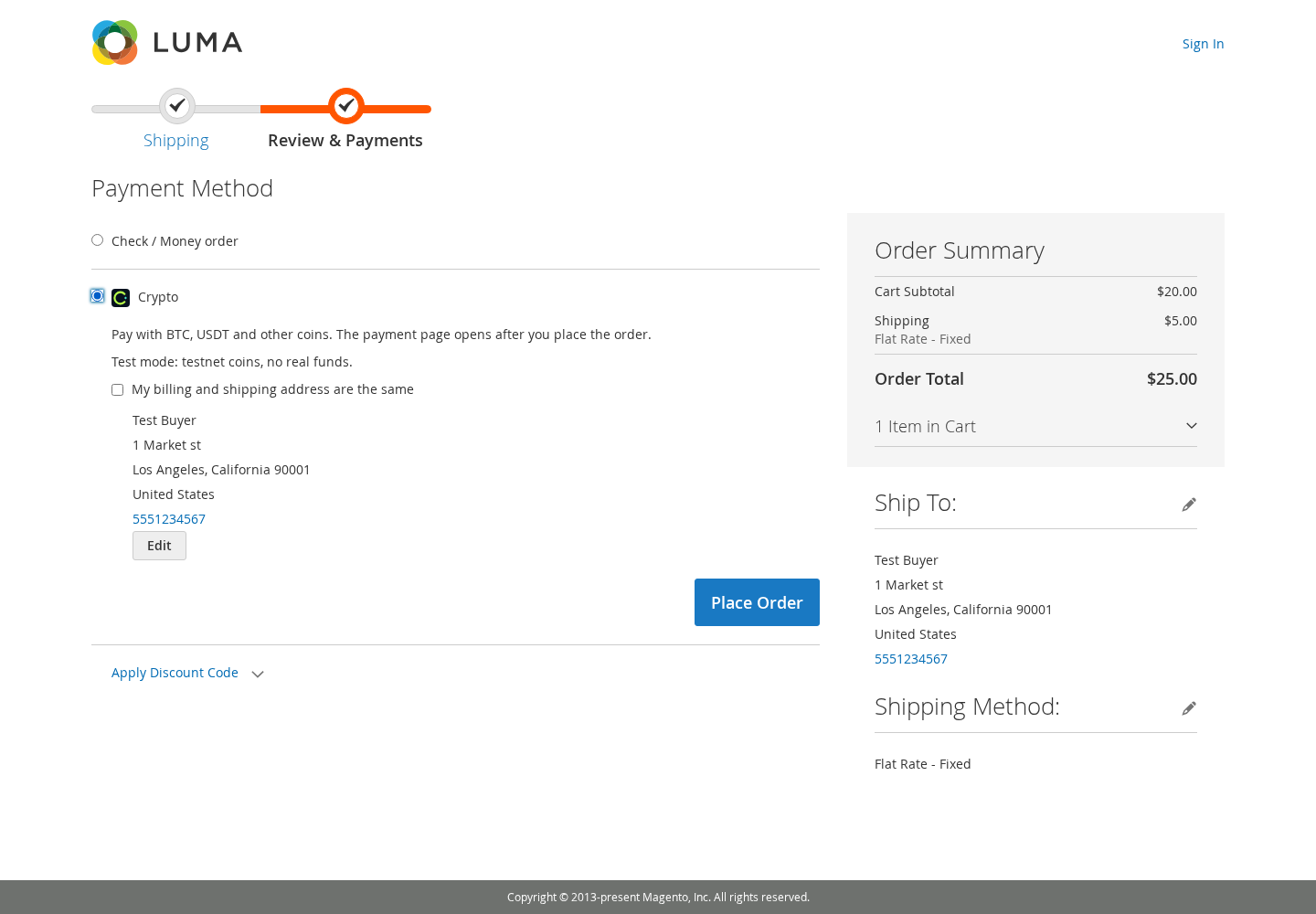
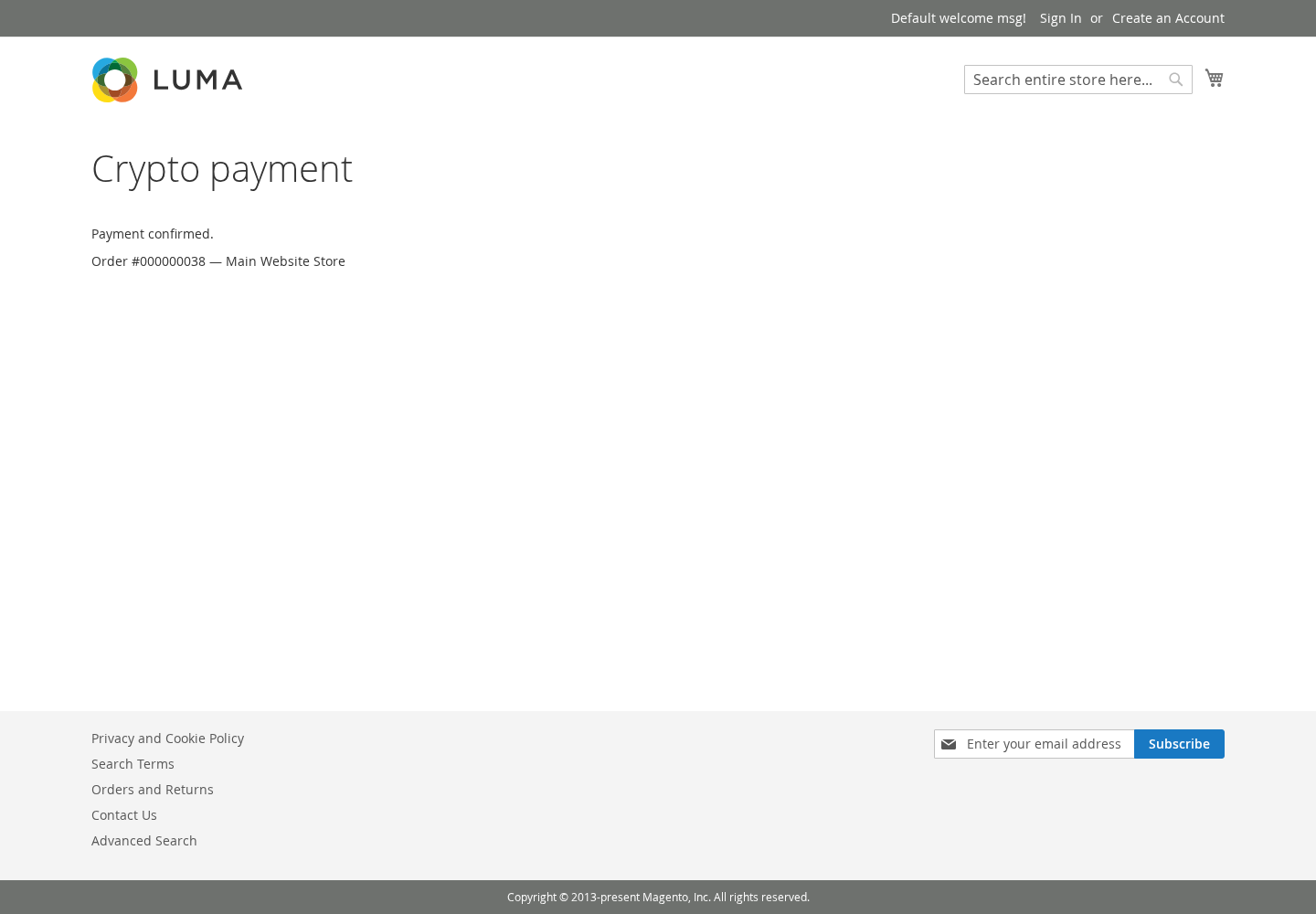
At "Place Order" the module creates a CryptoLike payment for the order and sets the order to pending_payment. Signed webhooks then move it: a confirmed payment becomes processing with a Magento invoice (captured offline, the transaction ID is the CryptoLike payment ID); money that needs a person goes to payment_review.
- Redirect or embedded page. The customer goes to the CryptoLike payment page after "Place Order", or pays on the order's payment status page.
- Accept / Deny for review. Late payments, partial payments after the deadline and reversals show Magento's Accept Payment and Deny Payment buttons.
- Encrypted secrets. The API secret and the webhook secret are stored with Magento's encryption key and never appear in
config:showorapp:config:dump. - One payment per order. A double click, a reload or "Create a new payment" returns the same open payment.
- Coin choice on the payment page. The customer picks the coin there; Coins on the payment page can limit the list, and nothing selected means every coin available for invoices in your account.
- A cron job,
cryptolike_reconcile, re-reads open payments every 15 minutes.
1. Install the module
With Composer (recommended), put the Composer archive from this page into a directory on the server, for example /var/www/packages, then run in the Magento root:
composer config repositories.cryptolike artifact /var/www/packages
composer require cryptolike/module-payment:1.0.0
bin/magento module:enable CryptoLike_Payment
bin/magento setup:upgrade
bin/magento setup:di:compile
bin/magento cache:flush
Without Composer, unzip the app/code archive in the Magento root (it creates app/code/CryptoLike/Payment) and run the same bin/magento commands. In production mode also deploy the static content.
2. Connect your CryptoLike account
In the CryptoLike cabinet open Developers → API keys → Create key with the permissions create_invoice and read, and paste the key ID and the secret into Stores → Configuration → Sales → Payment Methods → CryptoLike — crypto payments. Copy the Webhook URL shown there (https://your-shop/cryptolike/webhook/, per store view), add it in the cabinet under Developers → Webhooks → Add endpoint with every invoice.* event, and paste the endpoint's secret into Webhook secret.
3. Enable the method and test
Set Enable crypto payments to Yes and press Save Config. Check connection then shows "Connected: N currencies available." Before going live, test with a ck_test_ key and the test API URL in API URL (the default is production; ask CryptoLike support for the test URL): test keys work with test networks, the checkout shows the test-mode line under the method, and saving a live key in test mode is refused.
What happens to an order
| Payment | Magento order (state) | The customer sees |
|---|---|---|
| Created at "Place Order" | pending_payment |
"Awaiting payment." and the payment page |
| Transfer detected | Unchanged, comment with the transaction ID | "Payment detected. Waiting for confirmation." |
| Confirmed | processing and an invoice; a virtual order goes to complete |
"Payment confirmed." |
| Partial payment, before the deadline | holded, comment with the missing amount |
How much is missing, to the same address, and the deadline |
| Top-up completes it | Released from hold, processing and an invoice |
"Payment confirmed." |
| Late or partial after the deadline, second payment, reversal, changed order amount | payment_review with a comment on the decision |
A message for the case, for example "Payment received. The store is checking it and will contact you." |
| Expired | canceled (stock returns), or unchanged (setting) |
"Payment expired. Create a new payment." |
The time to pay is your account setting (30 minutes by default) unless you set another value. Magento cannot reopen a cancelled order, so money that arrives for one keeps it canceled with a comment; the funds are on your CryptoLike balance to refund or to use for a new order.
The same payment-to-order rules apply on every platform; the other shop platforms are compared in crypto payments for online stores.
Screenshots
Troubleshooting
| You see | What to do |
|---|---|
| The method is not in the checkout | Enable it; save the key ID, secret and webhook secret for that website; use a key whose prefix matches the mode; run bin/magento cache:flush. |
| Orders stay Pending Payment after paying | "Last verified webhook" in the settings is empty: the webhook does not reach the shop. Check https:// access, let POST /cryptolike/webhook/ through a WAF or CDN without a challenge, and switch off maintenance mode. Magento cron must run for the 15-minute check. |
| "Connection failed: auth.…" | auth.invalid_key or auth.invalid_signature: wrong key ID or secret. auth.ip_not_allowed: the key's IP whitelist does not include your server. auth.test_key: a ck_test_ key with the default API URL; test mode also needs the test API URL. |
| The embedded page does not load | Add the shop's address in the cabinet under Settings → Integration → Allowed origins, and allow the payment host in a custom CSP. |
The log is var/log/cryptolike.log and never contains secrets, signatures, webhook bodies or customer data.
For developers
The module follows the shared CryptoLike plugin contract: server-side payment creation with one open payment per order (idempotency_by_order_id; outside the default store the API order_id is <store_id>-<increment_id>), webhook signatures checked over the raw body, deduplication by event_id and a 200 answer only after the order is written. The archive includes a developer README with the module layout.
FAQ
What happens if the customer pays less than the order total?
The order goes to holded with a comment of the missing amount, and the customer sees how much to send to the same address before the deadline. A top-up in time releases the hold and the order becomes processing with an invoice. After the deadline the order moves to payment_review for Accept or Deny.
What if the customer pays after the payment expired?
If the order was cancelled on expiry, it stays canceled, because Magento cannot reopen it; a comment says what arrived and the funds are on your balance. To keep orders open instead, set "When a payment expires" to keep the order pending: a late payment then goes to payment_review with Accept and Deny.
How do refunds work?
Refunds are manual, because a blockchain transfer cannot be pulled back. Deny a payment in review or cancel the order, then send the refund as a payout from the CryptoLike cabinet to an address the customer gives you. The estimate shows the platform fee and the network fee; rates are on the pricing page.
Which store currencies can I use?
Each payment is created in the order's currency (USD, EUR, UAH, GBP or CAD), and CryptoLike converts it into the coin at a rate locked until the payment expires. The currency must be enabled for payments in your account. In a multistore setup each website can use its own CryptoLike account and currencies.
Can I test the module without real money?
Yes. Switch on test mode, save a ck_test_ key and enter the test API URL that CryptoLike support gives you. Test keys work with test networks, and test coins have no value. The settings page shows a "Test mode" badge and the checkout shows the test-mode line. Saving a live key in test mode, or a test key in live mode, is refused.
Does the module work with Adobe Commerce?
The module is a standard Magento 2 payment module and was tested on Magento Open Source 2.4 (the Mage-OS distribution). Adobe Commerce shares the same checkout and payment framework, but it has not been tested there yet; run the module on a copy of your store in test mode first.
Guides and articles
- How to accept crypto payments on a website: 4 ways comparedFour ways to accept crypto payments with CryptoLike: a CMS plugin, the API or an SDK with a widget, a payment link, the Хорошоп connector. Steps and comparison.
- Underpaid, overpaid and late crypto payments: what happens and what to doWhat CryptoLike does when a customer pays too little, too much or too late, or not at all before the deadline — statuses, webhooks and the next step for each case.
- Verify crypto payment webhooks: HMAC-SHA256 in TypeScript, Python, Go, PHPCheck CryptoLike webhook signatures step by step: raw body, timestamp tolerance, constant-time compare, event_id dedup — code in TypeScript, Python, Go and PHP.
Terms used here
Start with a test payment
Create an account, ask support for the test environment and see a payment go from pending to paid on a test network.